







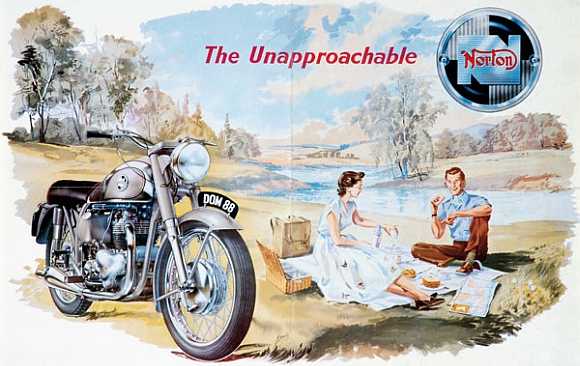



Welcome to Klempf’s British Parts. Our Mission: to deliver quality parts along with knowledgeable expertise. Mitch's background stems from a long history of the love of British Motorcycles, as well as hands on racing. Every order is hand selected and then reviewed by Mitch Klempf personally to ensure top-notch quality and fit. Through commitment, experience and expertise, Klempf’s British Parts has established business relationships with its customers that will last a lifetime!
Big News! In addition to serving the vintage British motorcycle enthusiast since 1972, we now have our entire inventory of over 19,000 parts online! As a leading vintage British motorcycle parts supplier in North America, we specialize in OEM, NOS (new old stock), used and replacement parts and accessories for vintage Triumph, BSA and Norton motorcycles. So go ahead, put that part number in the search bar (recommended), or browse by category. No matter what you’re looking for, our answer around the shop is often, “yeah, we got that!”.
If you're looking for good reproduction parts, type in an "R" or a "J" after the part number. For used, put a U after the part number.
TO CHECK STOCK ON A PART, CLICK "ADD TO CART" OR "ADD TO WISHLIST". IF IT IS OUT OF STOCK, AN "OUT OF STOCK" SIGN WILL FLASH AT THE TOP OF YOUR BROWSER SCREEN, AT THE TOP OF THE FLAG BANNER.
NOTE-We carry many cost-friendly replacement parts that work well. Check out the guide to online ordering for more tips.
We Carry the Following (and more) Manufacturers:
- Lucas Electrics
- Amal Carburetters & Parts
- Renold Chain
- Lockheed Brake Components
- Hepolite Pistons & Rings
- Glacier Engine Bearings
- RHP Ball & Roller Bearings
- Hayne-Ingleby Gaskets & Gasket Sets
- Full Range of Special Tools
- Wassell Exhaust Components
- Cycle Shack Custom Exhaust Pipes
- Full Range of Shocks & Springs
- Acesa Whitworth Wrenches
- Koken Whitworth Sockets
- Haynes Repair Manuals
- Factory Authorized Parts & Service Manuals
- Factory Owners Handbooks
- Dunlop Tires
- AvonTires
- Girling/Hagon Shocks
- Doherty Control Cables
- Barnett Throttle & Lever Assemblies
- Tympanium Electronic Regulators
- Premium Brand Batteries
- Champion, NGK and Autolite Spark Plugs
- Smith Gauges and Cables
- Emgo Products
Click on the following link for a Guide to Ordering.







 T.Tyler Design Group